Shopping lists spun directly out of the plan you approved
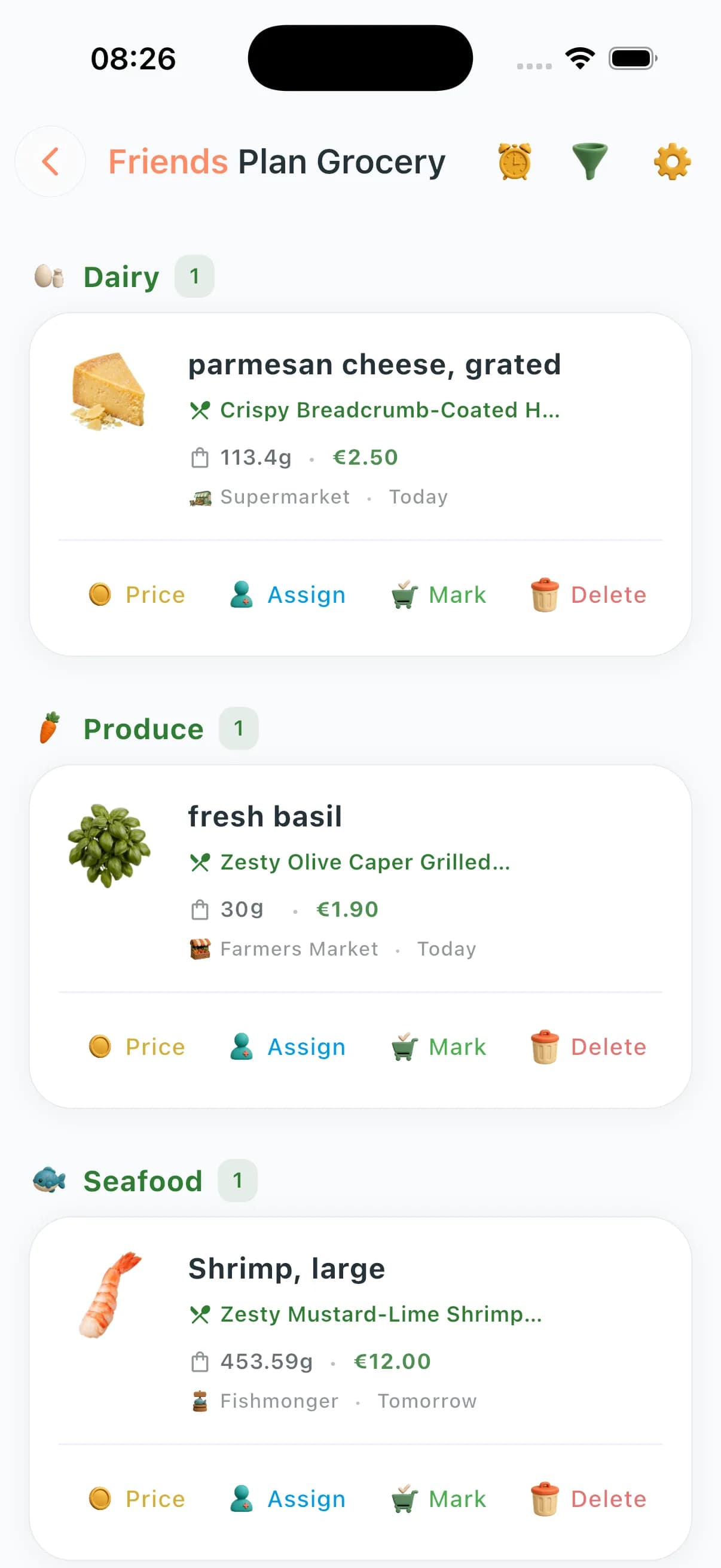
When plans move, groceries follow: ingredient extraction aggregates quantities, surfaces recipe-level detail on demand, and reflects shared-zone membership so households never shop blind.

What you can do
Auto-generation from Meal Planning outputs — no copy-paste.
Per-recipe ingredient splits with combine/uncombine controls.
Mark-as-bought with bulk operations across items.
Real-time sync tuned for couple / family / friends zones.
Ingredient images surfaced in the list for visual confirmation.
Store-based organisation within extracted items.
Budget/savings analytics tied to the plan and Community Prices.
Statistics dashboard for spend patterns over time.
How plan sync works
- 1
AI meal plan generates structured recipes with ingredients and quantities.
- 2
ChefSphere extracts every ingredient and scales to your servings.
- 3
Identical ingredients across different recipes are merged into one line.
- 4
Quantities auto-adjust when you change servings or swap a recipe.
- 5
The list updates instantly for all household members sharing the plan.
Who benefits most
The "I always forget something" shopper
Auto-extraction means nothing from the plan falls off the list. Every recipe, every ingredient, captured automatically.
Couples who split the cooking
Plan together, list together. Both people see the same source of truth for what's needed this week.
Sunday batch-cook ritual
Five meals planned means one consolidated, de-duped list. No more buying four packs of the same spice from different recipes.
The "what do we need?" text message
Share your live list. Household members see real-time updates instead of a photo-blasted screenshot.
Questions about plan sync
What happens when I change a recipe in my plan?
The list updates automatically. Added ingredients appear, removed ones disappear — no manual reconciliation.
Can I see which recipe each ingredient belongs to?
Yes. Per-recipe breakdowns let you expand any ingredient to see which meals it feeds into.
What if I want to combine ingredients across recipes?
Combine and uncombine controls let you merge duplicates or keep them separate — useful when shopping at different stores.
Does it work with Family or Friends zone plans?
Yes. Shared zone plans feed into a shared list visible to all members in real time.
Can I add items that aren't in the plan?
Yes. Manual additions sit alongside plan-extracted items. The list is yours to edit freely.
See plan-to-list in the app
Built to keep planning, shopping, budgeting, and household coordination in one connected grocery workflow.

