Navigation that honours how stores are actually laid out
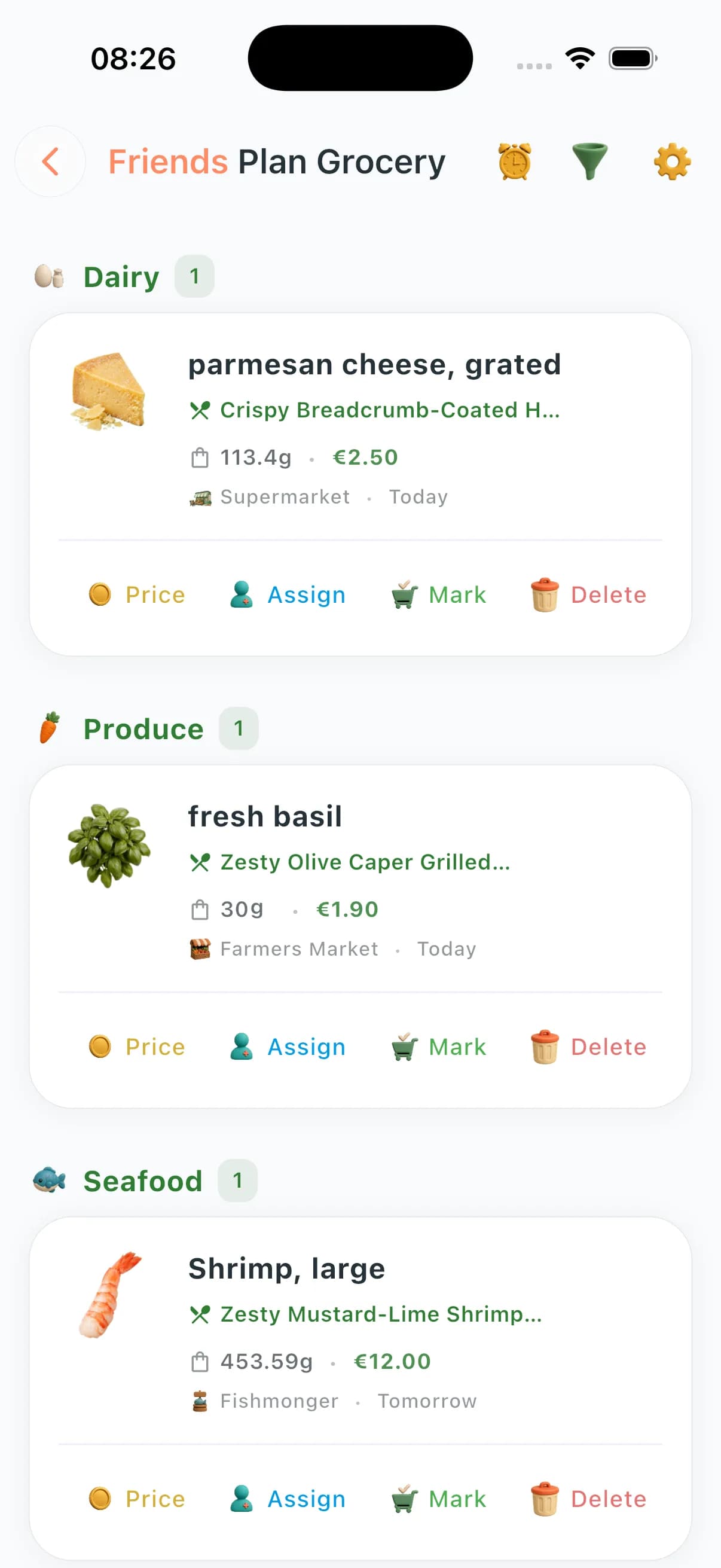
Alphabet sorts fail pedestrians. ChefSphere clusters items so your phone matches your route through produce, coolers, staples, and speciality sections — optionally tuned for store-specific footprints.


What you can do
Category and aisle scaffolding with drag-friendly ordering.
Store-based organisation primitives.
Ingredient imagery surfaced when useful.
Recipe preview anchored to each line item.
Smart categorisation across produce, dairy, meat, pantry, speciality.
Combine/uncombine items across categories.
Bulk operations for marking bought by category.
Layout adapts to common supermarket formats.
How aisle organization works
- 1
Ingredients are auto-categorized by type (produce, dairy, meat, pantry, etc.).
- 2
Categories map to aisle order for common supermarket layouts.
- 3
Tap any category to collapse or expand — focus on one section at a time.
- 4
Tap any item to preview the recipe it comes from.
- 5
Reorder items or categories manually to match your favourite store.
Situations where this saves time
The distracted shopper
A logical route means fewer "did I get that?" moments. Items are exactly where your feet already are.
Multi-store week
Assign certain items to different stores. Your list shows what to grab where, in one view.
Someone else doing the shop
A partner or family member can navigate the list intuitively without needing to know the original recipe.
Unfamiliar supermarket
Category grouping is more universal than any specific store layout — a reasonable guide even somewhere new.
Questions about organization
Can I customize the aisle order?
Yes. Drag categories into the order that matches your usual store. Changes persist for future lists.
Does it know my local store's layout?
ChefSphere uses standard category groupings. You can drag-reorder to match your specific store.
Can I see which recipe an item is from?
Yes. Tap any item to preview the recipe. Useful when you want to substitute an ingredient on the fly.
What categories does it use?
Produce, dairy, meat/fish, bakery, pantry staples, frozen, drinks, cleaning/personal care, and speciality — with a catch-all for anything else.
Can different household members see the same organized view?
Yes. Organization settings sync across all members of a shared zone.
Shop by aisle in the app
Built to keep planning, shopping, budgeting, and household coordination in one connected grocery workflow.

