Private grocery lists for everything that is not in the meal plan
Not every shop starts from a recipe. ChefSphere gives you a private list for one-off items, household staples, store-specific notes, reminders, search, filters, and checkout tracking — while still connecting to budgets and Community Prices when relevant.

What you can do
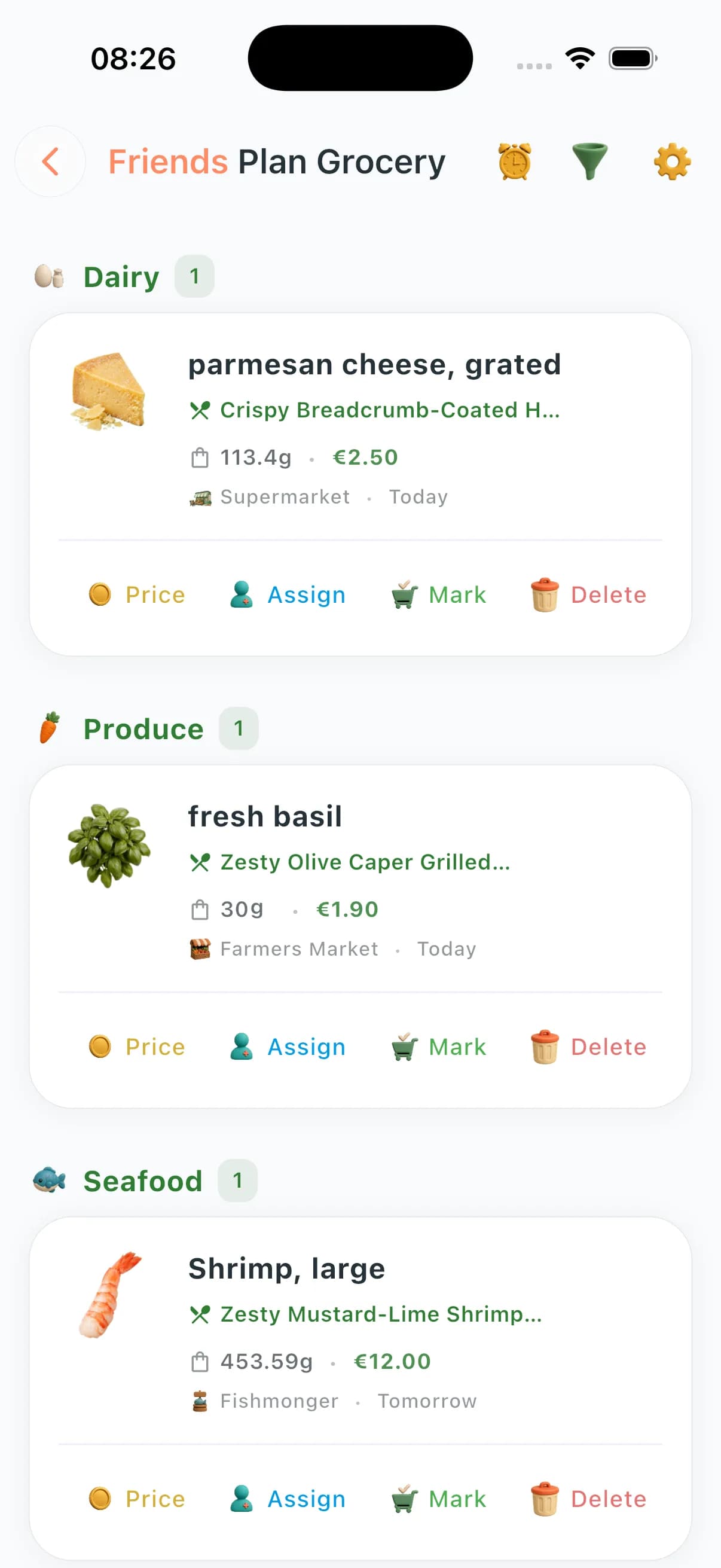
Add standalone items with quantity, unit, brand, priority, notes, tags, store, and aisle/location.
Search private items by name, brand, notes, or store context.
Filter by category and status so pending, bought, and archived items stay readable.
Bulk add, update, complete, or delete items when the list changes fast.
Set item reminders for stock checks, sale alerts, or custom shopping nudges.
Mark items as bought and record actual checkout prices.
Keep private list statistics for item counts, completion, and spend patterns.
Use the same grocery workspace alongside meal-plan-generated and shared-zone lists.
How private list management works
- 1
Add a private item whenever it does not belong to a planned recipe.
- 2
Attach category, quantity, store, aisle/location, tags, notes, priority, and estimated price.
- 3
Use search and category filters when the list grows.
- 4
Set reminders for time-sensitive items or recurring stock checks.
- 5
Bulk update or mark items as bought, then compare estimated and actual prices.
Private-list moments that matter
The non-recipe shop
Toilet paper, detergent, coffee filters, school snacks, birthday candles — all the real items that never appear in a recipe still need a reliable list.
The quick top-up run
Add a few urgent items, sort by store section, and mark them done without rebuilding the full weekly plan.
The price-conscious shopper
Track estimated and actual prices for manual items so the budget reflects what you really bought, not only what recipes required.
The reminder-driven household
Set reminders for stock checks, sale windows, or “pick this up before dinner” items without sending another group message.
Questions about private shopping lists
Can I use ChefSphere as a normal private grocery list?
Yes. You can add private items manually, organize them by category or store, search them, mark them bought, and keep them separate from meal-plan-generated items.
Can I add store or aisle notes?
Yes. Private items can carry store context, aisle/location notes, tags, priority, quantity, brand, and custom notes.
Do reminders work for individual items?
Yes. You can set reminders for specific private items, including general nudges, sale alerts, stock checks, or custom reminder messages.
Can I update many private items at once?
Yes. Bulk add, bulk update, bulk complete, and bulk delete flows help when the list changes quickly.
Does private-list spend count toward budgeting?
Yes. When you mark private items as bought and record actual prices, they can contribute to spend tracking and budget insight.
Keep a private list in the app
Private lists keep manual shopping, reminders, prices, budgeting, and household planning in the same grocery workflow.

