




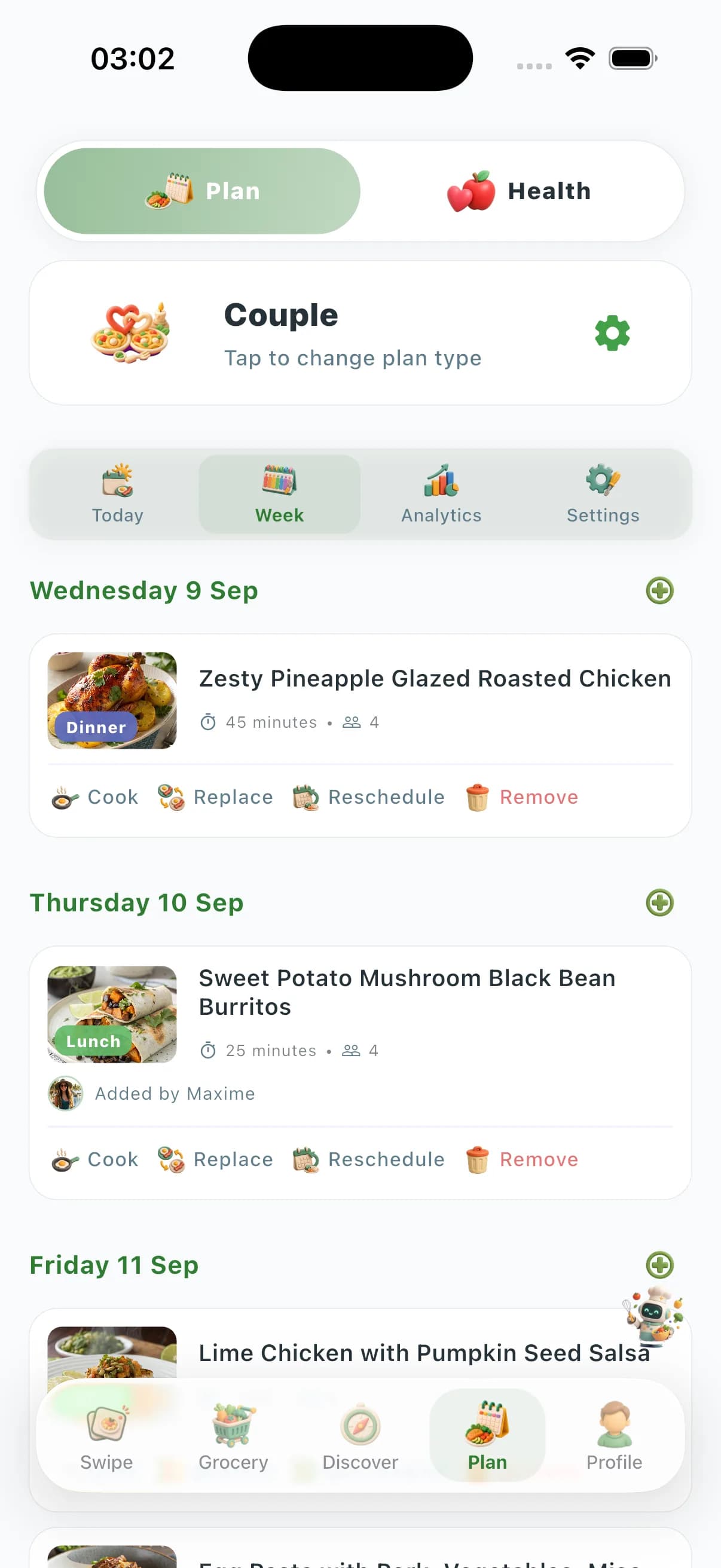
Samsung Food (formerly Whisk) covers recipe saving, AI recipe personalization, food-recognition vision, and Samsung Health sync—but it has no preference-aware swipe taste-learning decks, no Couple/Family/Friends zones with member-level preferences, no Community Prices, no Chef Lives, and no kitchen-tools marketplace, and its deepest hooks sit inside the Samsung ecosystem. ChefSphere solves the full weekly-dinner workflow for real households: preference-aware swipe discovery with taste learning, AI weekly plans, Quick Recipe shortcuts, auto grocery lists, Couple/Family/Friends zones with member-level preferences, vision AI, crowd-sourced Community Prices, Chef Lives, and a kitchen-tools marketplace—on any phone, not just Samsung.
| Capability | ChefSphere | Samsung Food |
|---|---|---|
| Recipe saving & organization | Discovery via swipe; libraries and community recipes | Save and organize only—no household zones or Community Prices |
| Preference-aware swiping & taste learning | Yes—swipe decks ranked by saved taste, nutrition, allergens, budget | No—AI personalizes recipes, but no swipe taste-learning deck |
| Couple / family member-level planning | Couple Zone, Family Zone, Friends Zone with per-member signals | Recipe/list sharing; not built around member-level preference zones |
| Crowd-sourced grocery price intelligence | Community Prices from real stores; budget-optimized plans | Shopping lists + retailer links; no crowd-sourced price layer |
| Live cooking streams & tools marketplace | Chef Lives + kitchen-tools marketplace | Not part of Samsung Food |
| Ecosystem & devices | Any phone (iOS, Android, Web); not vendor-locked | Deepest with Samsung appliances and Samsung Health |
Planning & shopping
Both apps generate meal plans and shopping lists, and Samsung Food’s AI can personalize recipes and build lists with retailer links. ChefSphere adds crowd-sourced Community Prices from real stores and budget-optimized plans, so the list is not just organized—it is priced against where you actually shop, independent of any single retailer or appliance brand.
Discovery & personalization
Samsung Food personalizes recipes with Food AI based on what you save and your tastes. ChefSphere layers preference-aware swipe decks that learn taste, nutrition goals, allergens, cooking time, and budget per swipe, plus AI Chef vision and external recipe extraction—turning personalization into an active, decision-reducing loop rather than a passive feed.
Households & coordination
This is the clearest gap. Samsung Food shares recipes and lists, but it does not model two distinct people negotiating one plan. ChefSphere’s Couple Zone, Family Zone, and Friends Zone keep each member’s preferences, allergens, and goals separate while finding genuine overlap—plus cooking schedules, chores, events, and recipe matches that a recipe-sharing app does not attempt.
Platform breadth & lock-in
Samsung Food’s deepest hooks—Samsung Health sync and smart-appliance control—sit inside the Samsung ecosystem, and it still leaves out household preference zones, Community Prices, Chef Lives, and a tools marketplace. ChefSphere bundles Chef Lives streaming, ebooks, health-tracking hooks, community feeds, and a kitchen-tools marketplace, and runs the same on any iOS, Android, or web device with no vendor lock-in.
FAQ
- Is Samsung Food the same as Whisk?
- Yes. Samsung acquired Whisk in 2019 and rebranded it to Samsung Food in 2023, adding Food AI personalization, food-recognition vision, and Samsung Health integration. If you used Whisk for recipe saving and shopping lists, Samsung Food is its successor—and this page compares it to ChefSphere under its current name.
- Why choose ChefSphere over Samsung Food?
- Choose ChefSphere for preference-aware swipe discovery, Couple/Family/Friends zones with member-level preferences, crowd-sourced Community Prices, Chef Lives, and a kitchen-tools marketplace—on any phone. Samsung Food leaves multi-person household planning, Community Prices, and marketplace commerce out, and its deepest value sits inside the Samsung ecosystem.
- Does Samsung Food have a Couple Zone or Family Zone?
- No. Samsung Food supports sharing recipes and lists, but it does not provide ChefSphere-style Couple Zone (per-member preferences and recipe matches) or Family Zone (multi-profile planning with allergies and picky eaters). If coordinating tastes across people is your pain point, switch to ChefSphere.
- Do I need a Samsung phone or appliance to get the most from Samsung Food?
- Samsung Food works on non-Samsung devices, but its deepest hooks—Samsung Health sync and smart-appliance control—live in the Samsung ecosystem. ChefSphere is vendor-neutral and delivers the same feature set on iOS, Android, and web.
- Why switch from Samsung Food to ChefSphere?
- Switch when you need more than recipe saving and Samsung-tied personalization: preference-aware swipe, household zones, Community Prices, live cooking, and a marketplace on any device. ChefSphere covers the weekly-dinner stack Samsung Food leaves out.
Verdict
Choose ChefSphere when you want preference-aware swipe, household zones, crowd-sourced price intelligence, live cooking, and a marketplace on any device—not a Samsung-tied recipe saver that leaves multi-person planning and Community Prices out.
Related features
- Swipe for Meals — discovery and taste learning
- AI meal planning — weekly plans and grocery lists
- Meal planning for two — Couple Zone
- AI Chef — vision and cooking assistant
- Grocery list — lists tied to your plan