


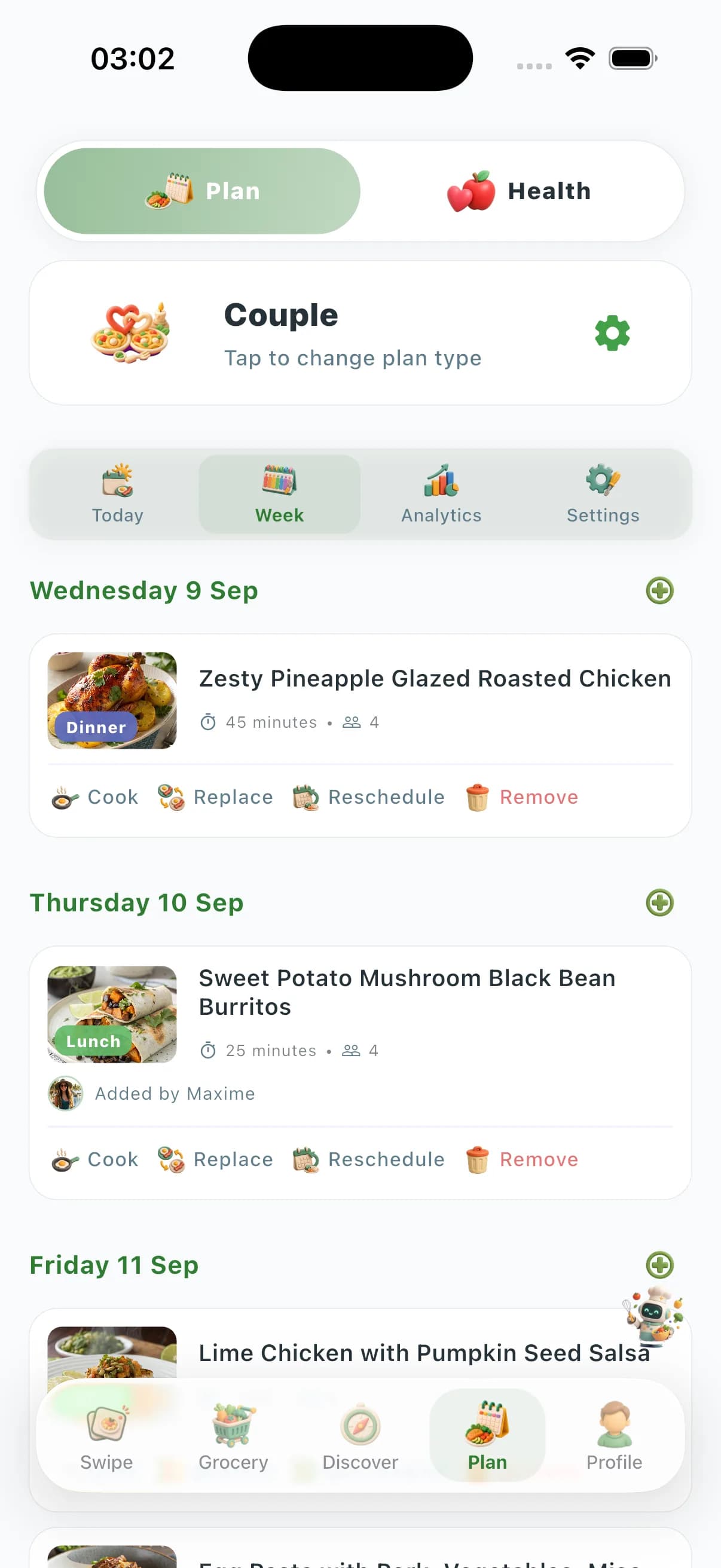
Unlike apps that only output a generic grid of dinners, ChefSphere is built on swipe discovery, optional integration with your nutrition and activity data, and crowd-sourced store prices from your area. You stay in one place: from “what’s for this week?” to a sorted shopping list and faster cooking on busy nights.


What you actually get in Smart Meal Planning
You choose how many meals you want covered and over what range — the product supports realistic limits per plan tier, from a few meals a week to denser coverage when you’re ready. Each plan can draw on Quick Recipe paths: from what’s already in the pantry, from your current grocery list, in under 15 minutes, or built around a specific ingredient you need to use.
Behind the scenes, the system matches you to ideas that fit your profile — dietary filters, time, skill, and the taste fingerprint you build by swiping. The goal isn’t a pretty PDF; it’s a week you can actually shop for and cook without negotiating every night from scratch.
Health, budget, and the real-world week
When you connect health and activity context, the planning layer can take that into account — so your week isn’t fighting your sleep, workouts, or nutrition goals. Budget isn’t a single magic number: you benefit from a grocery ecosystem that includes list consolidation and visibility into what people actually pay near you, so targets feel grounded instead of made up.
If your week shifts — a late meeting, a sick kid, a workout day moved — the in-app plan lets you reschedule a meal or replace it without redoing the whole grid. Your taste model and your budget signals stay intact; only the slot moves.
Household zones: couple, family, and friends
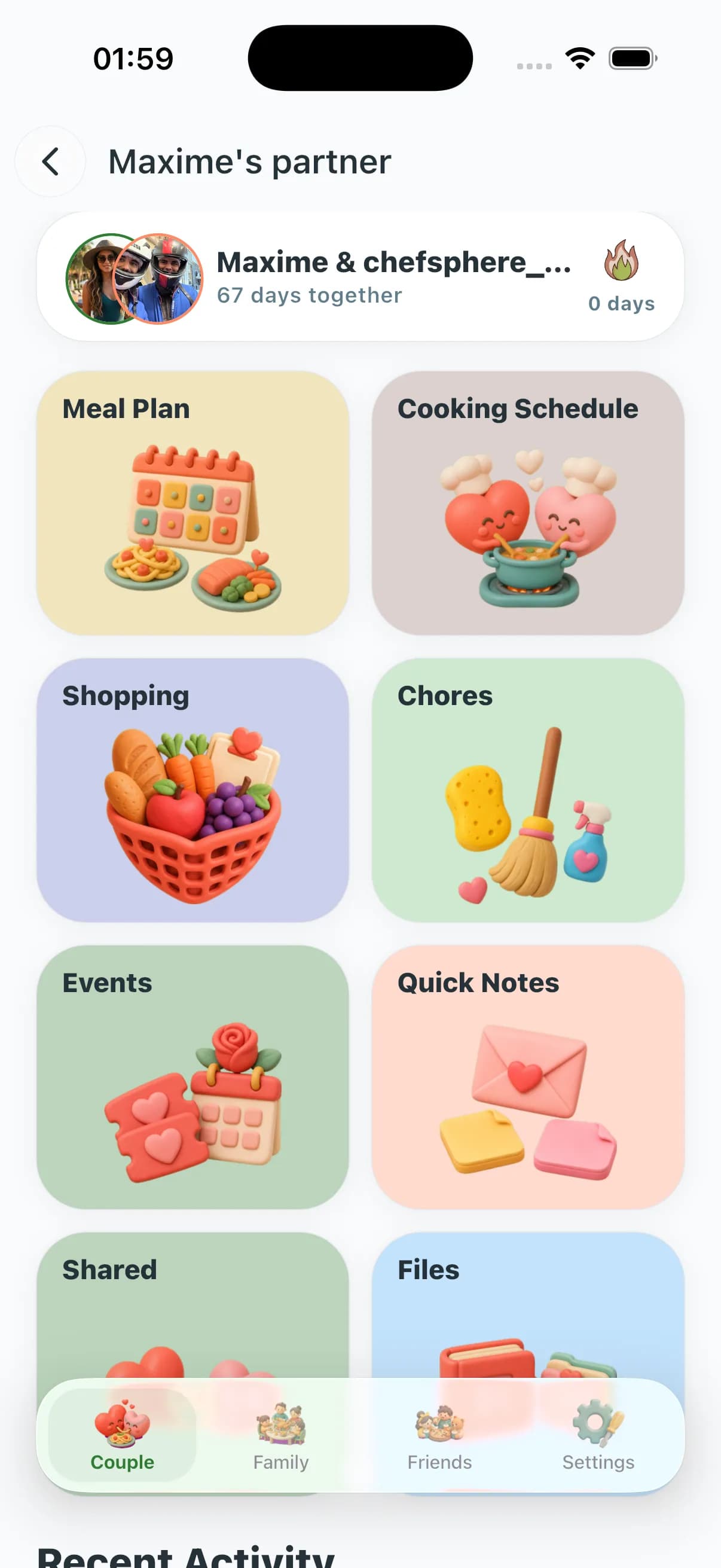
Not every home works like a single profile. Couple Zone merges two people’s tastes and chores. Family Zone is for a household with multiple members and group plans. Friends Zone is for roommates, clubs, and social dinners. Each has its own shared-plan flow; this overview page is public so you can understand the model before you create an account.
Each zone shares the same engine — swipe-based taste, AI Chef, grocery integration, community prices — but with a layout that fits its social shape. You don’t need to learn a different app per situation.
Built around the swipe, not a one-time questionnaire
Most planners ask for your preferences once and then never update. ChefSphere keeps learning every time you swipe a recipe. Cuisine intensity, prep length, ingredient familiarity, sauce style, dish format — the model captures dozens of taste dimensions across hundreds of swipes, so the plan it suggests next month is sharper than the plan it suggested today.
That same model powers the Quick Recipe modes: a 12-minute weeknight idea isn’t random, it’s pulled from what you already showed you’d say yes to.
One source of truth — instead of five tabs
Recipe app, calendar, notes, grocery list, price tracker, family chat — most households end up gluing five tools together. ChefSphere replaces the workflow: the plan, the list, the cooking notes, and the household zone all live on the same screen, and any change in one updates the others.
The marketing pages you’re reading are public on purpose: search engines can crawl them and you can share them with a partner or a roommate before anyone signs up.
At a glance: what you get with ChefSphere
- AI-assisted weekly structure with rescheduling, replacements, and plan analytics inside the app
- Taste model built from Tinder-style recipe swipes — not a one-time questionnaire you forget a month later
- Diet- and time-focused hubs (e.g. keto, Mediterranean) plus AI meal plan by diet and country for inspiration
- One grocery list that follows the plan, with categories and store-aware budget signals where available
- Couple, Family, and Friends zones share the engine but each has its own social layout
- Long-form, indexable pages so you can read the full product story before signing up
Frequently asked questions
Is ChefSphere only for people on a strict diet?
No. You can use it for general week planning, weight or health goals, or simply to answer “what’s for dinner?” faster. Diet-specific hubs (keto, Mediterranean, etc.) and the AI meal plan by diet and country are there when you need structure; the core engine is built for flexible eating.
Do I have to pay to read this page or see the marketing content?
No. These long-form pages are public. Creating an account is for using the full in-app meal plan, couple/family/friends zones, grocery lists, and other product features that require a signed-in session.
How is this different from a simple “week of recipes” list?
Your taste model comes from swiping, not a single survey. Plans can respect budget and health context, and the grocery layer ties to real local price signals from the community where available. You also get rescheduling and replacement in the app instead of a static PDF you print once.
How long does it take to teach the AI my taste?
You get usable suggestions after a few dozen swipes. The model keeps refining every week as you cook, swap, and rate, so plans get sharper instead of staler.
Can I plan only some meals — say, dinners and one lunch?
Yes. You pick the slots that matter to you. The grocery list is built only from the slots you fill, so you’re never paying for a coverage you didn’t ask for.
Does the plan work if I’m the only cook in a multi-person household?
Yes. You can plan from a single account today, then move to Couple, Family, or Friends Zone whenever the household wants to share. Existing taste data carries over.
Can I use ChefSphere offline or print a week?
The full experience is in the app, but you can export the grocery list and the cooking schedule for offline use. Nothing important is locked behind a paywall just to view your own plan.
In-app access to full Couple, Family, and Friends experiences requires a signed-in account. These long-form pages are public for search engines and new visitors: you can read the full value proposition before you register.