ChefSphere AI
Scan your fridge. Cook what you have.
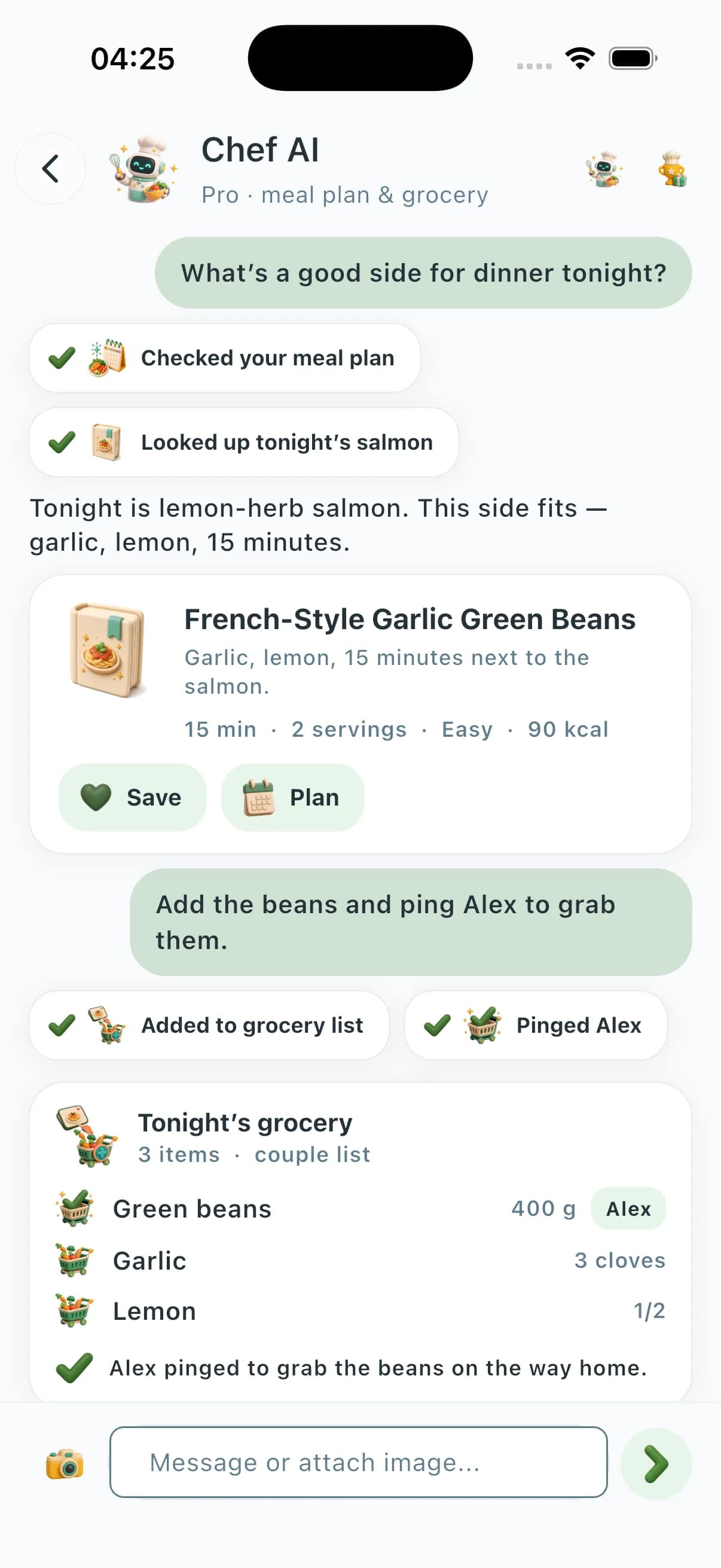
Take a fridge photo. Vision AI lists what you have and recipes you can cook tonight — without pasting your meal plan into a blank chat. Premium+ can update the grocery list. Cook Mode on iPhone when you actually cook.
Photo-aware
Snap your fridge or a dish. Get recipes, substitutions, or nutrition back.
Grounded in your data
Pulls live from your plan, list, and saved recipes — no hallucinated meals.
Save the conversation
Promote any chat reply to a saved recipe in one tap.




Live preview
See what the AI sends back
These are not stock illustrations. Six of the rich cards the AI streams into your chat — animated, interactive in the app, and grounded in your real data.
- Recipe card
Picked from your library in 3.4 s
Shrimp stir-fry with Chinese greens
- Grocery list
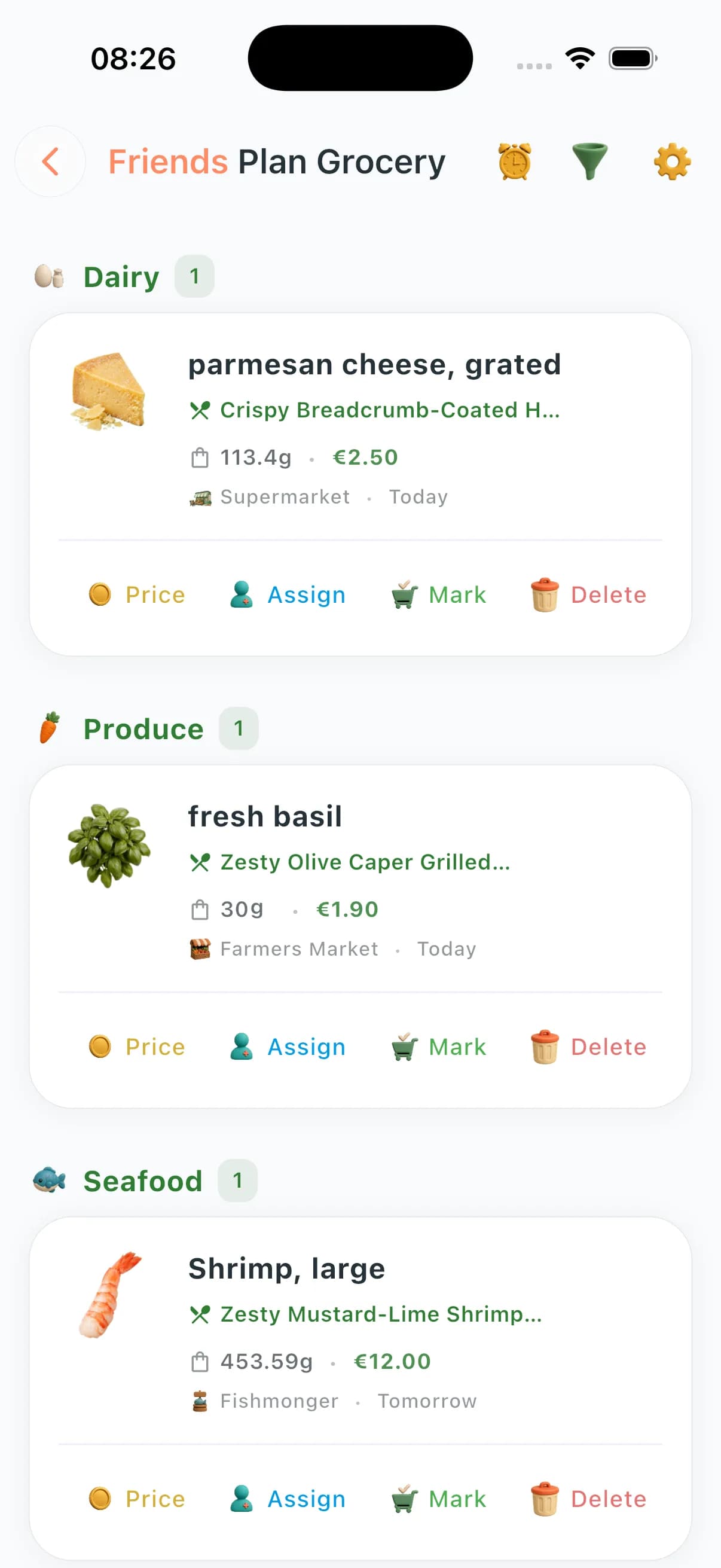
Tap to check, or message the AI
€16.20 estimated · 3 left
- Couple match
Compatibility & resolved conflict
Conflict: spice level. AI proposed a mild garlic–soy glaze — both accepted.
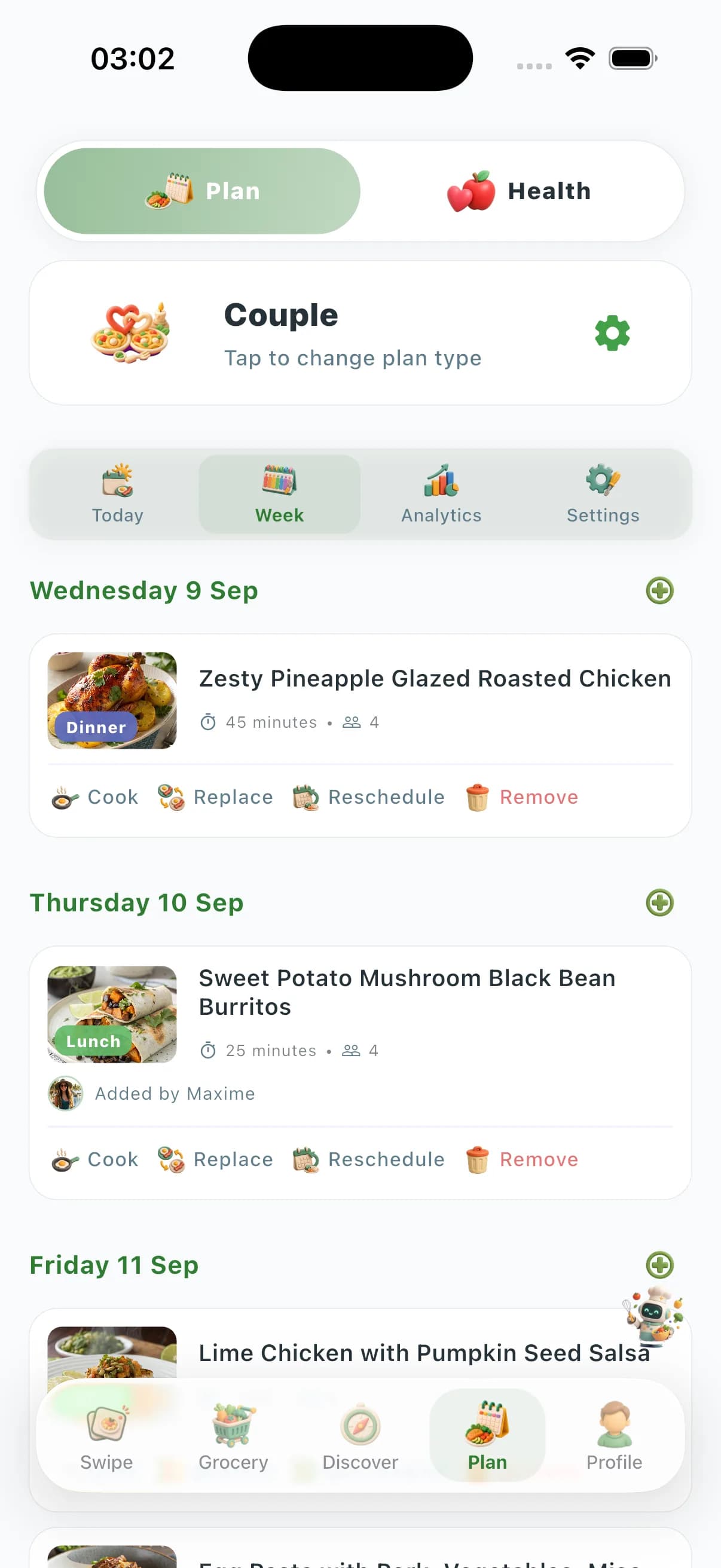
- Weekly plan
Calories per day, this week
Avg 1 940 kcal · 6 cooked · 1 left
- Health rings
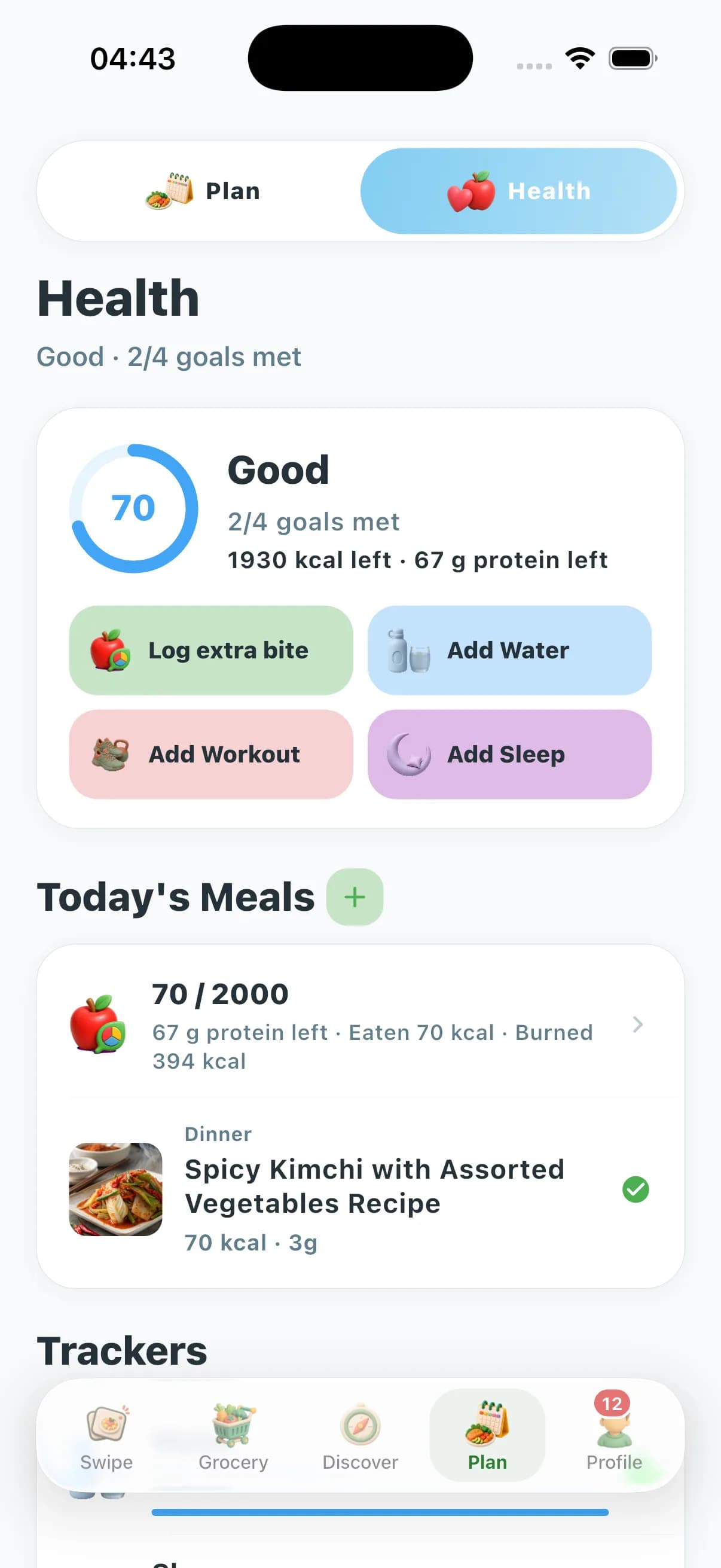
Today
Calories
- Macro slider
Drag to rebalance — total updates live
40 min · 560 kcal · advanced





What you can ask it to do
Account-aware assistance
The AI can use your meal plan, grocery list, recipe search, saved recipes and cooking history — every answer is grounded in your actual data.
Interactive reply cards
Replies stream as rich widgets: macro sliders, calorie rings, weekly column charts, donut/pie/bar/line/progress charts, grocery checklists, recipe pick stacks, cooking timelines.
Vision & Quick Recipe
Snap the fridge or counter. Get ranked ideas built from what the camera sees, or force "under 15 minutes" when the kids are loud and the pan is cold. PRO uses high-detail vision; Premium uses standard.
Basic, Advanced & Pro model tiers
Three tiers behind one chat. AUTO picks the best model for your tier; Advanced (Premium) unlocks vision and stronger reasoning; Pro unlocks the most capable Chef AI and high-detail vision.
Couple conflict AI
The chat surfaces preference clashes between partners and proposes a meal both can accept — two messages, one resolved week.
Auto grocery + write-back
The AI reads your weekly plan and writes a categorized grocery list. Premium and Pro can also have it check off items by name when you ask from the aisle.
Semantic recipe search
Describe what you want and get recipe ideas filtered by diet flags, cuisine, difficulty, saved preferences and cooking context.
Entity-aware context
Open a recipe, meal plan or grocery list and the AI uses the page you are viewing. Wrong step number? Missing ingredient? It tells you the truth instead of asking you to clarify.
Cooking history personalization
Your cooking history helps the AI avoid repeats and learn what you actually finish — not just what you save.
Planning & URL extraction
Save, plan, reschedule, replace or delete from chat. Paste any recipe URL — AI extracts a clean structured recipe ready for Cook Mode and the grocery list.
Shared zones (Couple · Family · Friends)
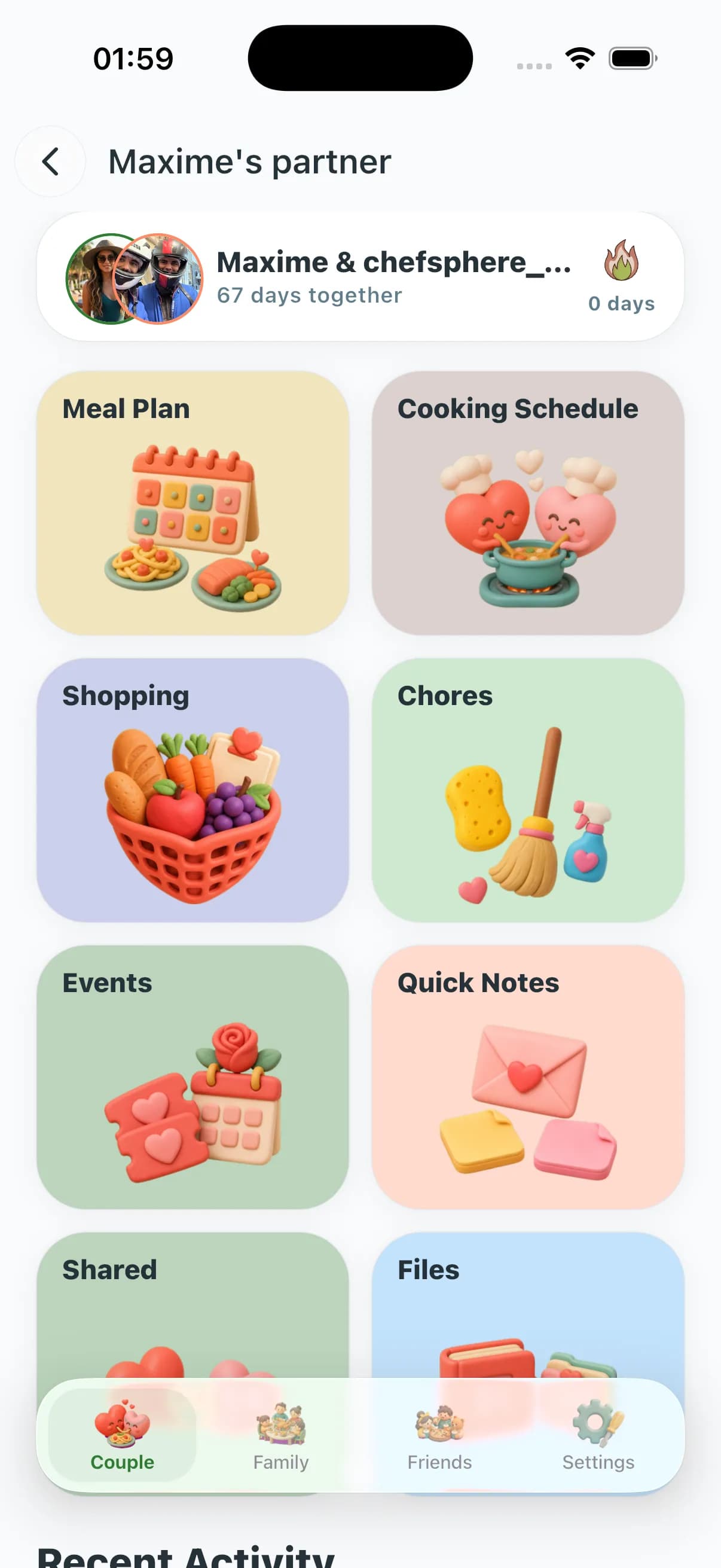
Plan with your partner, a family group or a roommate cluster. The plan can use member preferences, recipe matches and restrictions; cooking and shopping can be assigned, and the same chat answers everyone in the zone with the same context.
Health-aware planning
Opt-in pulls nutrition, sleep, water and workouts. The chef raises protein on training days, leans on fibre on sedentary ones and suggests warm meals after a poor night.
What makes it different
Account-aware answers
Meal plan, grocery list, cooking history, saves and recipe search — grounded in real data, with list updates when you ask.
Answers you can use
Macros, weekly charts, grocery checklists, couple overlap, health rings, cook timelines — not a wall of text.
Three-tier model routing
Basic, Advanced, and Pro tiers behind one thread. AUTO picks the best model for your tier; PRO unlocks the most capable Chef AI and high-detail vision.
Vision that cooks
Fridge photo → structured ingredients and ranked ideas. PRO: high-detail vision; Premium: standard.
Quick Recipe modes
Pantry, grocery list, under 15 minutes, by ingredient — tuned to tonight, not a generic algorithm night.
Couple Zone
Surfaces clashes, proposes one meal you both accept — analyze and resolve in two messages.
Auto grocery
Builds a categorized list from your week; check items off by name from the aisle.
Health opt-in
Nutrition, sleep and workouts sync only when you choose. Per-category toggles, revocable in one tap.
Community Prices
Budgets tied to real stores near you — totals you can trust, not fantasy math.
Entity-aware context
Open a recipe, plan or list and the AI sees it — e.g. “step 4 needs longer” with no copy-paste.
How it works in five steps
A complete loop from a photo on Tuesday night to a planned, shopped, cooked dinner — without leaving the app.
- 01
Open the chat
Sign in once on web or mobile. The same conversation, history and ChefCoin balance follow you across phone, tablet and desktop.
- 02
Show it the kitchen
Photograph the fridge, the pantry, a hand-written list, a leftover or a half-empty jar. Vision converts the picture into a structured ingredient list.
- 03
Pick a Quick Recipe mode
Choose pantry, grocery list, under 15 minutes or "by ingredient". Add a constraint — high protein, halal, low FODMAP, kid-friendly — and the chef narrows the field.
- 04
Plan, save or extract
Drop the favorite into this week's plan, save it to a collection, or paste any recipe URL to extract a clean version that fits the same flow.
- 05
Cook and review
Open Cook Mode for a step-by-step view, mark the meal as cooked, and let the rating sharpen the next suggestion. The plan and grocery list update themselves.
Real moments it is built for
Eight households, eight different Tuesdays. Same product, same fridge photo, very different answers — that is the whole point.
- Working parent
Tuesday night fridge photo
It is 7:42 pm, a kid is melting down, the fridge is half empty. Photograph it, ask for "under 15 minutes, no extra shopping" and pick the first idea that fits.
- Marathon trainee
High-protein week from pantry
Marathon block, six days from race. Connect Health Tracking, set a 1.8 g/kg protein floor, and let the chef build a week from what is already in the cupboard.
- Shared flat
Roommates splitting groceries
Three roommates, three diets, one fridge. The Friends zone can use each person’s preferences and restrictions, the chat suggests one shared base plus quick swaps, and the grocery list splits cleanly.
- Halal household
Halal household, no ambiguity
Set "halal only" once and forget it. The AI Chef declines pork and alcohol cleanly, suggests halal-friendly substitutes for Western recipes and respects Ramadan iftar timing in plans.
- Diabetic-aware home cook
Diabetic-friendly weeknight rotation
Lower-glycemic dinners on weeknights, with macro targets visible per meal. The chef explains carb counts, suggests fibre swaps and avoids sneaky sugars in sauces.
- Student
Student on a tight budget
Cap the week at a hard number, let Community Prices pick the cheapest store nearby, and ask the chef for five dinners with overlapping ingredients to crush waste.
- New parent
New parent batch-cooking on Sunday
Two hours, three dinners, freezer-friendly. The chef plans batch cooking on Sunday, balances iron and fibre for postpartum recovery and writes the shopping list in order of aisle.
- Frequent traveler
Travel cook in an Airbnb kitchen
Strange kitchen, two pans, no oven. Photograph what is in the rental, ask for "no oven, two pans, 25 minutes" and get an answer that respects the gear that actually exists.
Answers you can tap, not a wall of text
When the answer needs structure, the AI streams a real interactive card — sliders you can drag, charts you can tap, lists you can check off. Eight examples below; the full set covers macros, calories, budget, health rings, weekly views, comparisons, family/couple/friends votes, recipe picks, cooking steps, grocery, nutrition insight and any of the six chart primitives.
Macro Slider
Drag protein, carb and fat targets — the donut rebalances to 100%, total kcal recomputes live. The AI uses it whenever you negotiate macros.
Weekly Overview
Seven-day column chart of calories per day with cooked counts and per-day highlights. Tap a bar to drill into that day's meals.
Calorie Goal
Circular progress ring of consumed vs target with per-meal mini bars and a 1000–4000 kcal target slider you can adjust mid-conversation.
Health Rings
Up to four concentric activity rings (calories, water, steps, sleep) with expandable goal sliders per ring — the same metaphor your phone already speaks.
Couple Compatibility
Heart-shaped fill that visualizes how aligned two taste profiles are, broken down by category — diet, cuisine, allergies, time-of-day patterns.
Interactive Grocery List
Tap to check off, or ask the AI to update your list. Categories, quantity chips, estimated cost in footer.
Cooking Steps Timeline
Vertical timeline of prep / cook / bake / rest / serve steps with type icons, per-step duration, total time and servings chips. Tap a step to focus.
Budget Insight
Animated horizontal bars per category vs your weekly cap, with a 20–500 budget slider you can adjust live to see how the plan adapts.
What the AI actually has its hands on
Most "AI chefs" hallucinate prices, recipes you never saved, or meal plans that do not exist. ChefSphere AI is wired into six real things in your account — so every answer is grounded in your kitchen, not a guess.
Your recipe library
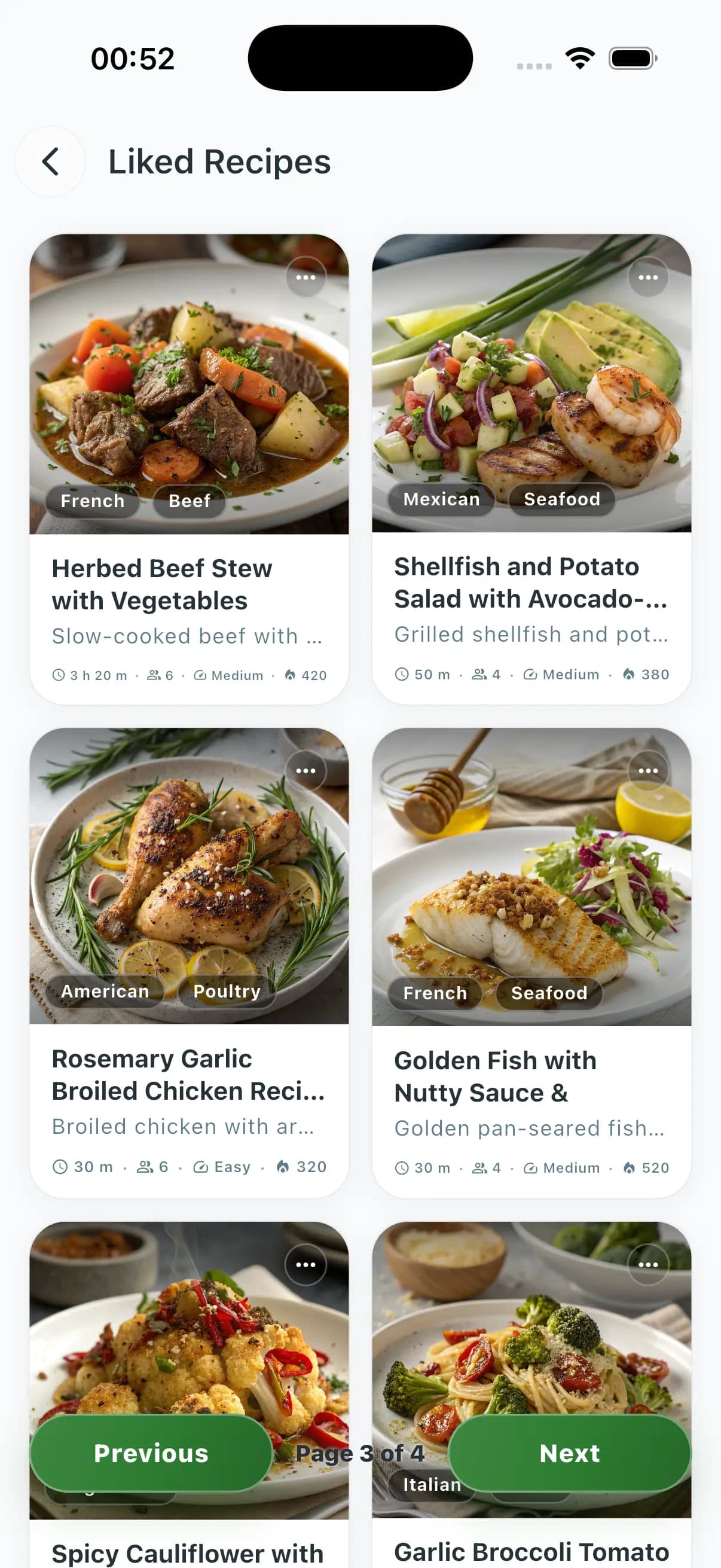
FreeIt can pull any recipe you have saved, liked, planned or written by hand — with the full ingredients and steps, not just a name in a list.
Smart recipe finder
FreeType a feeling, not a keyword: "spicy 30-minute vegan dinner" returns ranked ideas that actually fit, even if the word "spicy" never appears in the recipe.
Your weekly plan
FreeKnows what is on the plan tonight, tomorrow and the rest of the week — across your personal, couple, family and friends zones — so it never books a meal twice.
What you actually cooked
FreeRemembers the last meals you really made (not just saved) so suggestions feel personal and never repeat last Wednesday's pasta two days in a row.
Your live grocery list
PremiumReads your current list before suggesting anything — never tells you to "just add eggs" when the eggs are already in the cart.
Hands-free shopping
PremiumIn the aisle? Just tell it "I got the milk and bread" — items get checked off in real time so your partner sees the list update before you reach the till.
Three tiers, clear allowances
Pricing pages live on the product. This block shows the monthly ChefCoin grant and what each plan unlocks for models and vision — message cost varies by model and tokens used.
Free
- Monthly ChefCoins
- 10 ChefCoins / month
- Models
- Basic models
- Vision
- Limited preview
Entry models for everyday questions; limited vision preview — try the full loop before paying.
Premium
- Monthly ChefCoins
- 50 ChefCoins / month
- Models
- Stronger reasoning + vision
- Vision
- Full vision (fridge & pantry photos)
Vision and stronger reasoning models; partner Premium included; 5 URL extractions per day.
Pro
Monthly ChefCoins- Monthly ChefCoins
- 100 ChefCoins / month
- Models
- Pro — most capable Chef AI with high-detail vision
- Vision
- High-detail vision + priority on heavy models
Pro tier models, high-detail vision, highest monthly grant, unlimited URL extractions.
Privacy & consent, by design
Photos of your kitchen and signals from Health Tracking are sensitive. They are treated as such — not as fuel for ads.
Vision photos are processed to generate structured ingredients and recipe ideas only — never used for advertising or a public feed.
Health, sleep, water and workout integrations are strictly opt-in, per category, and revocable in one tap.
Conversations stay tied to your account; you can clear history, redact a message or wipe a thread from settings.
Retention windows are visible in settings, with a one-click data export and account deletion path.
Community Prices and shared zones (Couple, Family, Friends) only share what you explicitly publish — nothing leaks from your private chat.
ChefSphere AI vs. simple recipe apps
A keyword search engine returns 100 results. A real cooking copilot returns one good answer for tonight, in this kitchen, with this household.
- Vision (fridge & pantry photos)ChefSphere AIYes — structured ingredients and ranked ideas, not a generic captionTypical recipe appNo, or a single keyword tag from an image
- Personal taste from swipesChefSphere AIYes — preference-aware swipes refine recommendations over timeTypical recipe appStatic filters and category lists
- ChefCoin AI allowanceChefSphere AI~10 / 50 / 100 ChefCoins monthly grant (Free / Premium / Pro); each message debits a variable amount by model and usage; same coins pay gifts and swipes; top up from €1.49. Live balance in /chefsphereai is source of truth.Typical recipe appSingle model, often paywalled or a flat chatbot bolt-on
- Health-aware planningChefSphere AIOpt-in nutrition, sleep, water and workouts adjust the planTypical recipe appMacro fields without context, or none at all
- Pantry → meal Quick RecipeChefSphere AIPantry, grocery list, under 15 minutes, by ingredient — explicit modesTypical recipe appFree-text search and luck
- Recipe URL extractionChefSphere AIPaste any link, get a clean structured recipe to save and planTypical recipe appManual copy-paste or no extraction
- Couple / Family / Friends zonesChefSphere AIShared plan, member preferences, recipe matches, cooking and shopping assignmentsTypical recipe appSingle-user, or a clumsy share button
- Community Prices grocery contextChefSphere AIReal prices from real stores feed the chat and grocery listTypical recipe appDefault values or no price awareness
| Capability | ChefSphere AI | Typical recipe app |
|---|---|---|
| Vision (fridge & pantry photos) | Yes — structured ingredients and ranked ideas, not a generic caption | No, or a single keyword tag from an image |
| Personal taste from swipes | Yes — preference-aware swipes refine recommendations over time | Static filters and category lists |
| ChefCoin AI allowance | ~10 / 50 / 100 ChefCoins monthly grant (Free / Premium / Pro); each message debits a variable amount by model and usage; same coins pay gifts and swipes; top up from €1.49. Live balance in /chefsphereai is source of truth. | Single model, often paywalled or a flat chatbot bolt-on |
| Health-aware planning | Opt-in nutrition, sleep, water and workouts adjust the plan | Macro fields without context, or none at all |
| Pantry → meal Quick Recipe | Pantry, grocery list, under 15 minutes, by ingredient — explicit modes | Free-text search and luck |
| Recipe URL extraction | Paste any link, get a clean structured recipe to save and plan | Manual copy-paste or no extraction |
| Couple / Family / Friends zones | Shared plan, member preferences, recipe matches, cooking and shopping assignments | Single-user, or a clumsy share button |
| Community Prices grocery context | Real prices from real stores feed the chat and grocery list | Default values or no price awareness |
Why people keep the chat open
Illustrative quotes drawn from common feedback patterns; real testimonials are highlighted as such inside the app.
"I stopped opening four browser tabs at 7 pm. One photo of the fridge, two clarifying questions, dinner is on the table by 7:30."
Working parent, two kids"My partner and I share the plan now. The cooking days auto-assign, the shopping list is one tap, and we stopped arguing on Sundays."
Couple zone user"Night shifts wreck my eating. Plans that respect odd hours and a hard 20-minute cap actually got me eating real food again."
ER nurse, rotating shifts
Explore more on ChefSphere
Common questions
Is this the same as opening chefsphere.app/chat?
This page is the public overview. After you sign in, the full experience — conversation history, ChefCoin balance, vision uploads and settings — lives at /chefsphereai inside the app. Continue in /chefsphereai once signed in.
How does the ChefCoin system work?
ChefCoins (CC) are the in-app currency for AI, gifts, and swipes. Plans include about 10 / 50 / 100 ChefCoins per month on Free, Premium, and Pro. Each AI message costs a variable number of coins depending on the model (from about one coin on efficient routes up to dozens on Pro tier models), prompt size, and vision. Vision photos consume input tokens like text. You can buy more packs from €1.49–€109.99, earn coins via referrals or promos, and the live balance shown in /chefsphereai is always authoritative. Premium unlocks vision and stronger reasoning; Pro unlocks the most capable Chef AI and high-detail vision; AUTO picks the best model for your tier.
How does vision use my fridge photos?
Images are processed to suggest recipes and improve your plan. They are treated as sensitive content — no ads, no public feed, no sharing with other users. You control consent and retention from settings, and you can revoke access in one tap. Continue in /chefsphereai once signed in.
Does it replace a dietitian or a doctor?
No. ChefSphere AI is a cooking and planning copilot, not medical advice. Macro and condition-specific suggestions (diabetes, pregnancy, allergies) are starting points, not prescriptions. Keep medical nutrition decisions with a qualified professional.
How is this different from a generic recipe search?
It combines vision, saved preferences, swipe signals, health signals you choose to share and real grocery prices from Community Prices. The output is one good answer for tonight, in this kitchen, not a hundred keyword matches. Continue in /chefsphereai once signed in.
Does it support halal, kosher, vegetarian or allergy-restricted households?
Yes. Set the constraint once during onboarding (or any time in settings) and the chat respects it across Quick Recipe, weekly plans, URL extraction and shared Couple / Family / Friends zones. The chef will refuse forbidden ingredients and propose substitutions instead. Continue in /chefsphereai once signed in.
Can my partner or family share the same plan?
Yes. The Couple, Family and Friends zones can use member preferences, recipe matches, restrictions, cooking history and shopping assignments to support a shared plan. Premium includes a partner premium account, and the chat answers everyone in the zone with the same context. Continue in /chefsphereai once signed in.
How does Cook Mode tie into the chat?
Every recipe — generated, swiped, extracted from a URL or saved from a community recipe — can open Cook Mode on iPhone with a step-by-step view, timers and a "mark as cooked" rating that feeds future recommendations. Continue in /chefsphereai once signed in.
Talk to Chef AI
Feature availability and exact model names depend on your plan and the current product build. The in-app product at /chefsphereai always wins if this page lags a release.