
Best Meal Planning Apps 2027
2 min read
A practical 2026 comparison of Mealime, Yummly, Eat This Much, Whisk, Paprika, MealBoard, and ChefSphere—with a feature table and clear winners by use case.
April 17, 2026 · Updated September 12, 2026 · 6 min read · By ChefSphere Team
ChefSphere Team
The ChefSphere Team builds AI-powered meal planning tools for recipe discovery, grocery planning, and weekly meal organization. We combine nutrition science, real grocery data, and taste-learning algorithms to make weekly meal planning effortless.
ChefSphere AI builds your weekly meal plan in seconds — personalized to your taste, budget, and health goals. No credit card required.
Curated recipe discovery • AI meal planning • Available on iOS, Android & Web
It depends on constraints. If you need basic planning, many apps work. If you need shared household planning and room to grow into AI + grocery intelligence, test ChefSphere's Free tier (10 swipes/day, ~10 ChefCoins/month grant for AI and other spends — per-message cost varies, 3 meals/week planning) and evaluate whether the workflow sticks after two busy weeks.
They are only as good as your inputs — preferences, schedule honesty, and dietary constraints. The win is not perfection; it is consistency and fewer last-minute takeout pivots. ChefSphere's advantage is that accuracy improves weekly as it learns from your swipes and health data.
Yes — if the app supports two profiles and merged planning. Otherwise you recreate the conflict in a prettier UI. ChefSphere's Couple Zone is explicitly designed for this.
ChefSphere supports recipe extraction from any URL. Paste a link from any recipe website, blog, or social media post — AI extracts ingredients, steps, times, and nutrition into a clean structured format that integrates with your plans and Cook Mode.
Premium (€9.99/month) includes a free partner account for Couple Zone. Pro (€14.99/month) unlocks Family Zone and Friends Zone for the whole household under one subscription.
Looking for 2027 picks (November–January searches)? Use Best Meal Planning Apps 2027. This page is the April 2026 snapshot.
By April 2026, “meal planning app” means wildly different things: some tools are list-makers, some are recipe browsers, and a smaller set tries to run the whole weekly loop—plan, shop, cook, and coordinate other people. This guide names what each category is good at, where it stops, and when ChefSphere is the rational upgrade if you want one OS instead of three apps duct-taped together.
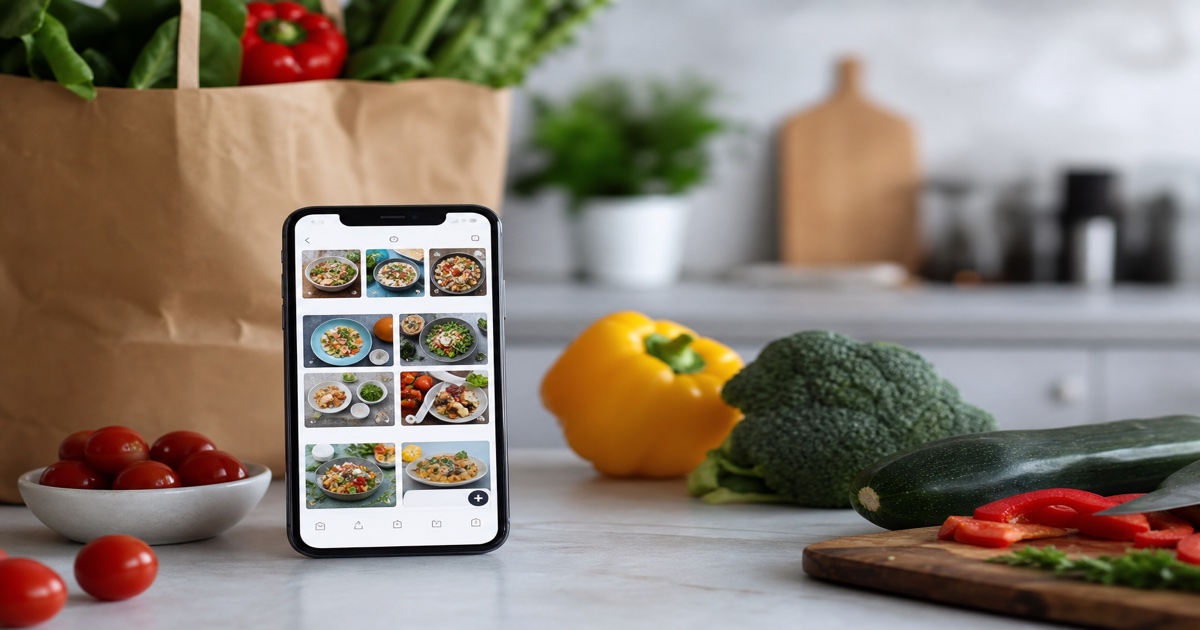
| App | Core strength | Typical gap |
|---|---|---|
| ChefSphere | Full stack: AI plans, quick dinner modes, Couple/Family zones, grocery, vision AI, optional swipe | Heavier product—best when you will use more than one module |
| Mealime | Fast linear flow: pick recipes → shop → cook | Narrower platform—less household + AI depth |
| Yummly | Large catalog + personalization | Less end-to-end shared planning for couples/families |
| Eat This Much | Macro-first generation | Less social + household coordination |
| Whisk | Save recipes + lists | Not a full meal OS for multi-person homes |
| Paprika | Manual recipe organization | Less cloud-native AI + live platform features |
| MealBoard | Planning board style workflows | Ecosystem breadth varies—check your region |
Mealime wins on simplicity for individuals who want a clean weekly loop without extra modules. If your life is “pick meals, buy ingredients, cook,” it can feel lighter than all-in-one platforms. If you need two taste profiles merged or shared assignments, you will feel the ceiling quickly—exactly where ChefSphere’s Couple Zone and Family workflows are intentionally built.
Yummly is strong when you want to browse a huge recipe universe and save ideas. It is weaker as a household operating system—shared negotiation, split duties, and price-aware grocery planning are not the core thesis. ChefSphere combines discovery (Swipe for Meals) with Smart Meal Planning so taste signals become plans and lists—not just bookmarks.
If you start from calories/macros and want generated meals to match, Eat This Much is a serious option. ChefSphere approaches nutrition as multi-dimensional—diet context plus household reality—while integrating health-aware signals for users who want plans that adapt beyond a single macro slider. Compare directly: ChefSphere vs Eat This Much.
Whisk is useful when your main job is capturing recipes and turning them into shopping lists. If you want AI weekly planning, vision-assisted cooking help, and Community Prices, you are asking for a different product class—see ChefSphere vs Samsung Food.
Paprika remains a benchmark for DIY recipe curation and offline-minded workflows. ChefSphere targets users who want AI plans, Cook Mode, and zones without maintaining everything by hand—see ChefSphere vs Paprika.
MealBoard-style apps can work well for people who think visually and like dragging meals across a board. The tradeoff is usually ecosystem depth—integrations, AI, and multi-person workflows vary. If your household needs shared planning + grocery truth, validate whether the product supports it natively.
| Feature | ChefSphere | Mealime | Yummly | Eat This Much | Whisk | Paprika |
|---|---|---|---|---|---|---|
| AI meal plan generation | Yes (Chef AI tiers) | Basic | Limited | Yes (macro-first) | No | No |
| Taste learning from behavior | 50+ characteristics via swipe | No | Basic | No | No | No |
| Couple Zone (merged planning) | Yes + free partner account | No | No | No | No | No |
| Family Zone (picky eater profiles) | Yes | No | No | No | No | No |
| Vision AI fridge scanning | Yes (phone camera) | No | No | No | No | No |
| Quick Recipe modes | 4 modes (pantry, grocery, 15min, ingredient) | No | No | No | No | No |
| Crowd-sourced grocery prices | Yes (Community Prices) | No | No | No | No | No |
| Health tracking integration | 4 dimensions (nutrition, water, sleep, workouts) | No | Limited | Nutrition only | No | No |
| Grocery list from plan | Yes (aggregated, aisle-organized) | Yes | Limited | Yes | Yes | Yes |
| Live cooking streams | Yes (Chef Lives) | No | No | No | No | No |
| Kitchen tools marketplace | Yes (P2P) | No | No | No | No | No |
| Recipe extraction from URL | Yes (AI-powered) | No | Yes | No | Yes | Yes |
| Cook Mode (step-by-step) | Yes with timers | Yes | Yes | No | No | Yes |
| Free tier | Yes (10 swipes/day, ~10 ChefCoins/mo grant) | Yes | Yes | Limited | Yes | No ($) |
| Premium price | €9.99/month | ~$4–5/month | Free w/ ads | ~$9/month |
The meal planning app market in 2026 has three tiers:
Apps that help you pick recipes and generate a shopping list. Whisk, Paprika, and MealBoard live here. If all you need is "choose meals, get a list," these are fine. They stop at the grocery store door.
Apps that add some intelligence — macro targets, dietary filters, or basic weekly generation. Mealime and Eat This Much live here. Good for solo users with clear dietary goals. They stop at one person.
Platforms that connect planning, household coordination, AI learning, grocery pricing, health data, and cooking into one loop. ChefSphere is the only app in this tier that covers all six layers:
If your query is "best meal planning app" because you want one place to:
…then ChefSphere is built as the broad meal OS, not a single-feature widget. Start with the best meal planning apps roundup and the Mealime comparison if you are switching from a simpler weekly planner.
Being honest matters for credibility:
ChefSphere is built for people whose pain is multi-dimensional: household coordination, budget constraints, health tracking, and the daily "what's for dinner" problem all at once. If your pain is one-dimensional, a simpler tool may serve you better.
| Free |
| ~$5 one-time |

