


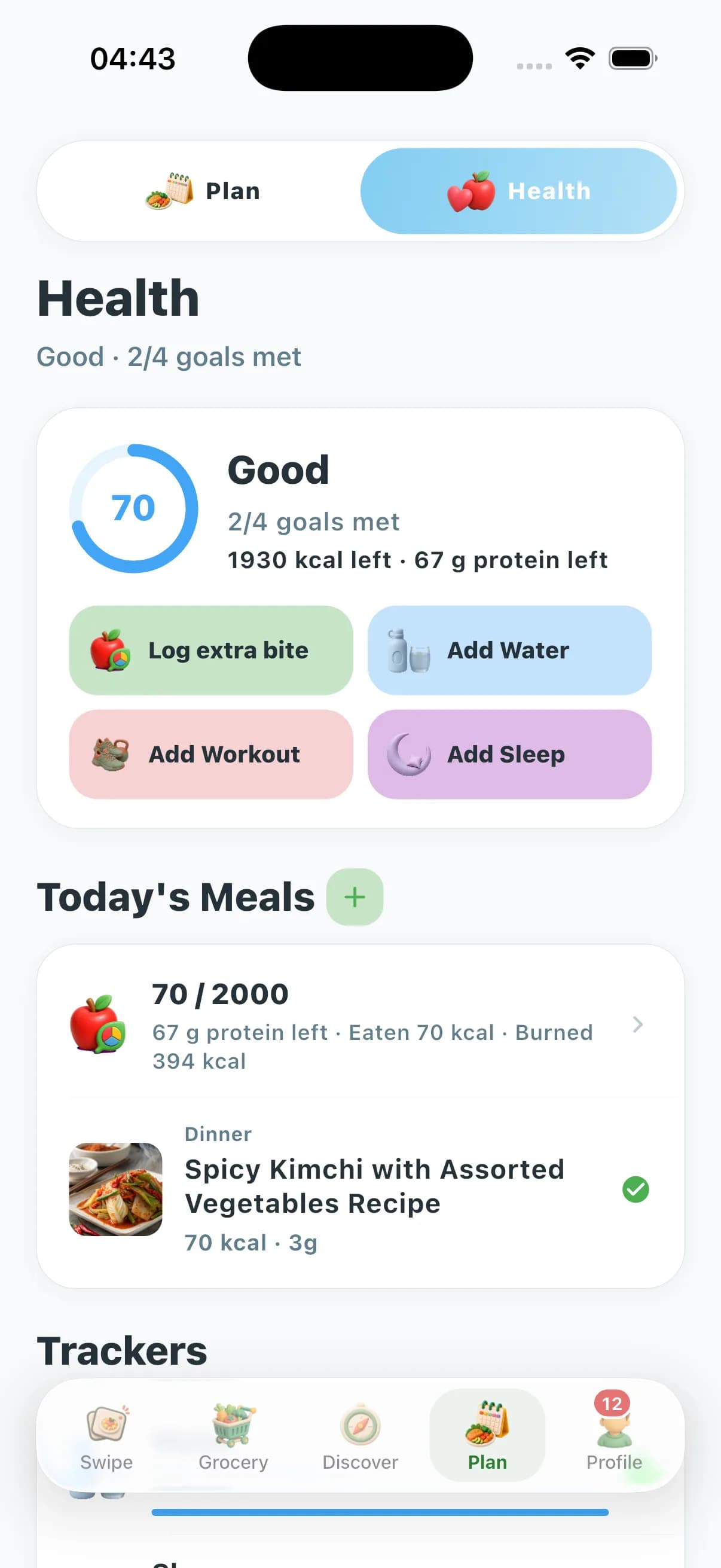


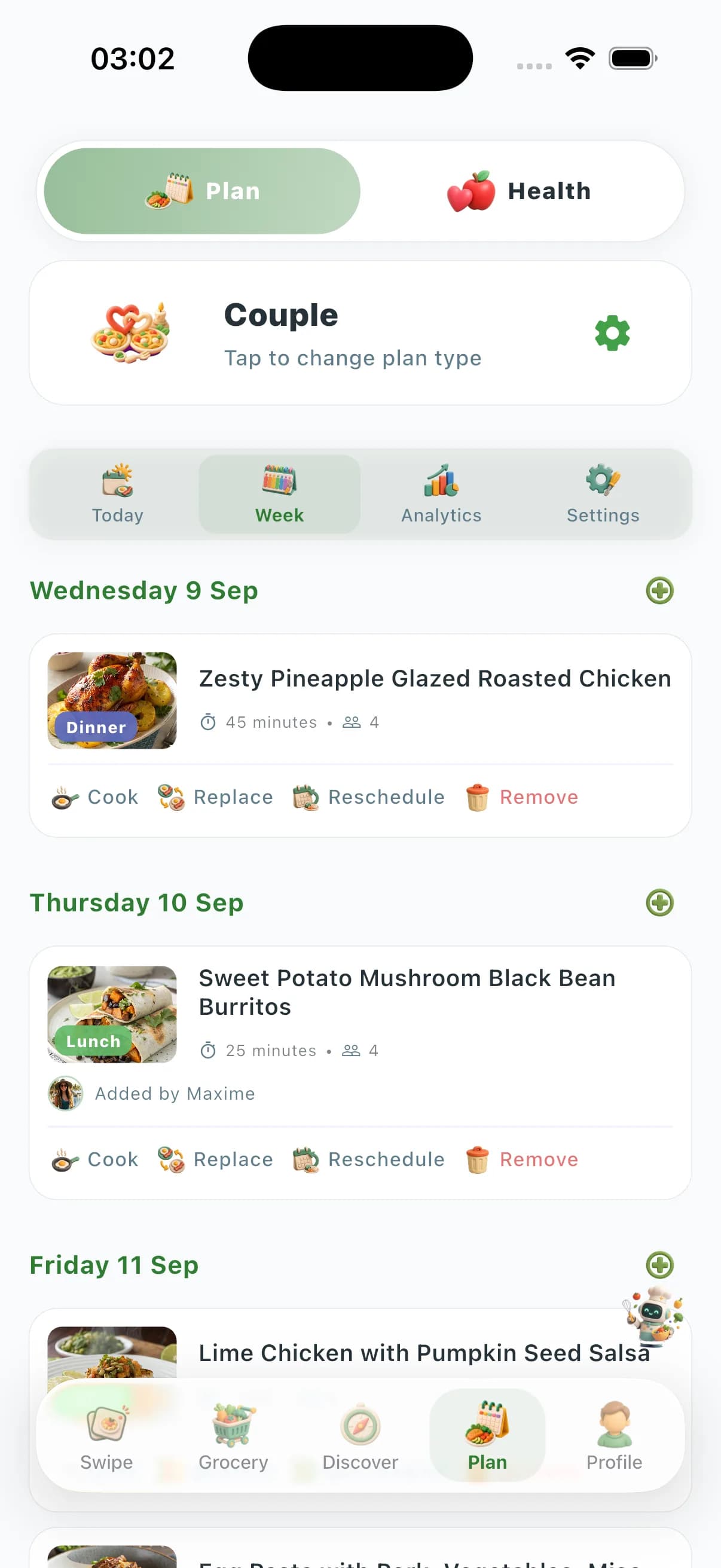
Cronometer focuses on nutrition and macro tracking—food logging, micronutrient breakdowns, and diet analytics—with meal planning as a secondary feature. It does not deliver preference-aware swipe, Couple/Family/Friends zones, Community Prices, vision AI, or a kitchen-tools marketplace. ChefSphere solves the full weekly-dinner workflow for real households: preference-aware swipe discovery with taste learning, AI weekly plans, Quick Recipe shortcuts, auto grocery lists, Couple/Family/Friends zones with member-level preferences, vision AI, crowd-sourced Community Prices, Chef Lives, and a kitchen-tools marketplace—starting from “what’s for dinner?” rather than “log what you ate.”
| Capability | ChefSphere | Cronometer |
|---|---|---|
| Core product focus | Weekly dinner workflow—discovery, planning, grocery, coordination | Nutrition logging first—no household dinner OS, zones, or Community Prices |
| Preference-aware swiping & taste learning | Yes—swipe decks ranked by saved taste, nutrition, allergens, budget | No—food database search and logging; no swipe taste-learning deck |
| Couple / family member-level planning | Couple Zone, Family Zone, Friends Zone with per-member signals | Individual tracking profiles; not built around member-level meal zones |
| AI meal planning & Quick Recipe modes | AI weekly plans, under-15-min modes, pantry-based suggestions | Meal planning secondary to tracking; limited generative AI planning |
| Crowd-sourced grocery price intelligence | Community Prices from real stores; budget-optimized plans | Not a core feature—tracking-first, not shop-and-plan-first |
| Live cooking streams & tools marketplace | Chef Lives + kitchen-tools marketplace | Not part of Cronometer |
Planning & shopping
Cronometer can help you plan meals around macro targets, but its heart is retrospective logging—what you ate and whether you hit your numbers. ChefSphere starts forward: AI-generated weekly plans, Quick Recipe shortcuts, auto grocery lists, and crowd-sourced Community Prices from real stores—so dinner is decided and shopped before you cook, not reconstructed after the fact.
Discovery & personalization
Cronometer personalizes through nutrition data—calories, macros, vitamins, and minerals logged against goals. ChefSphere personalizes through preference-aware swipe decks that learn taste, cooking time, allergens, and budget per swipe, plus AI Chef vision and health-aware plan adjustments—optimizing for meals you will actually enjoy cooking, not just numbers on a dashboard.
Households & coordination
Cronometer tracks individuals precisely, but it does not model two distinct people negotiating one dinner plan. ChefSphere’s Couple Zone, Family Zone, and Friends Zone keep each member’s preferences, allergens, and goals separate while finding genuine overlap—plus cooking schedules, chores, events, and recipe matches that a nutrition-logging app does not attempt.
Platform breadth & use case
Cronometer is built for individual nutrient logging—not household dinner discovery, AI plans, Community Prices, streams, or marketplace commerce. ChefSphere bundles meal discovery, AI planning, grocery intelligence, Chef Lives, community feeds, and a kitchen-tools marketplace on iOS, Android, and web—for households whose main question is “what’s for dinner this week?” rather than reconstructing macros after the meal.
FAQ
- Is Cronometer a meal planning app?
- Cronometer is primarily a nutrition and macro tracking app with meal planning as a secondary feature. It logs what you ate and analyzes nutrients against goals—but it does not run a weekly-dinner OS. ChefSphere is built around discovery, AI plans, grocery lists, and household coordination—with health-aware planning as one layer, not the entire product.
- Why choose ChefSphere over Cronometer for dinner planning?
- Choose ChefSphere if your main pain point is deciding what to cook, coordinating household tastes, and shopping efficiently—not logging every nutrient after the meal. ChefSphere adds preference-aware swipe discovery, AI weekly plans, Couple/Family/Friends zones, Community Prices, and vision AI—features Cronometer does not prioritize because tracking is its focus.
- Can I use both Cronometer and ChefSphere?
- Yes. Some people still log macros elsewhere while using ChefSphere for weekly meal discovery, planning, grocery lists, and household coordination. They solve different problems: tracking answers “did I hit my targets?” while ChefSphere answers “what’s for dinner and how do we shop for it?”
- Does Cronometer have swipe discovery or household zones?
- No. Cronometer is built around food database search and nutrient logging. ChefSphere adds preference-aware swipe decks, Couple Zone, Family Zone, and Friends Zone with per-member preferences—designed for multi-person households, not individual trackers.
- Why switch from Cronometer to ChefSphere for dinner?
- Switch when nutrition logging alone does not decide dinner: you need swipe discovery, AI weekly plans, household zones, Community Prices, and vision AI. Cronometer leaves that weekly-dinner workflow out; ChefSphere is purpose-built for it.
Verdict
Choose ChefSphere when you want preference-aware swipe, AI meal plans, household zones, crowd-sourced price intelligence, and a full dinner workflow on any device—not a tracker that leaves discovery, planning, and household coordination secondary.
Related features
- Swipe for Meals — discovery and taste learning
- AI meal planning — weekly plans and grocery lists
- Meal prep — batch cooking and prep workflows
- AI Chef — vision and cooking assistant
- Grocery list — lists tied to your plan