Text-based recipe search assumes you already know what you own. Real kitchens are messier: half a bell pepper, questionable yogurt, three sauces with similar names, and a protein you forgot to thaw. Vision AI matters because it can turn a photo into structured inventory—then map that inventory to actionable meals instead of “here are 10,000 chicken recipes.”
At CES 2026, GE unveiled a $4,899 smart fridge with a built-in barcode scanner and AI recipe suggestions. The same week, apps like Fridge Vision AI and ChefSphere showed that your phone already does this — for free — without replacing your refrigerator.
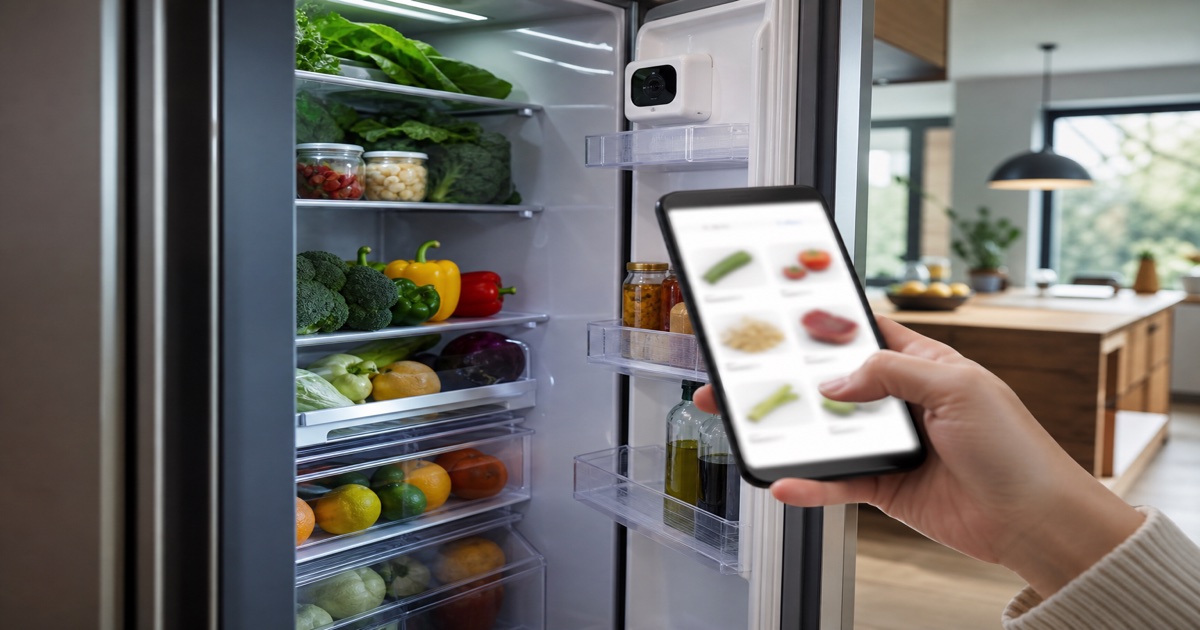
The 2026 landscape: hardware vs software
GE Profile Smart Fridge ($4,899)
GE's CES 2026 fridge has a built-in barcode scanner and an 8-inch tablet. You scan items as you put them in; the fridge tracks inventory and suggests recipes.
The limitation: Barcodes only work on packaged goods. Loose vegetables, bulk items, leftovers, and opened packages are invisible. Most people abandon the scanning habit within weeks because it adds friction to every grocery unload.
Phone-based vision AI (ChefSphere, Fridge Vision AI)
Take a photo of your fridge, pantry, or countertop. AI identifies ingredients — including loose vegetables, bulk items, leftovers, and half-used packages — and suggests recipes based on what it actually sees.
The advantage: No $5,000 hardware. No behavior change. Just your phone camera and a model that recognizes real food in the wild — not just barcodes.
What vision AI actually extracts
A fridge photo is noisy: glare, opaque containers, handwritten labels. Good systems do not claim perfect barcode-level accuracy; they infer candidate ingredients and ask clarifying questions when confidence is low. The value is fast grounding: "I'm tired—what can I make with what I see?"
That is different from keyword search. Search is "chicken breast recipe." Vision is "given what I see, what can I cook tonight with minimal extra shopping?"
What the AI can typically identify
- Proteins: chicken breast, ground beef, eggs, tofu, fish fillets
- Produce: bell peppers, tomatoes, leafy greens, citrus, root vegetables
- Dairy: milk containers, cheese blocks/bags, yogurt cups, butter
- Condiments: recognizable bottles (soy sauce, mustard, hot sauce)
- Pantry staples: rice bags, pasta boxes, canned goods
Where it struggles (be honest)
- Opaque containers: Tupperware with mystery leftovers
- Similar-looking items: Is that sour cream or Greek yogurt?
- Frozen items: Frost-covered packages in the back of the freezer
- Very small items: Individual garlic cloves, herb sprigs
The goal is directionally correct inventory, not a perfect SKU-level audit. You correct edge cases in the flow.
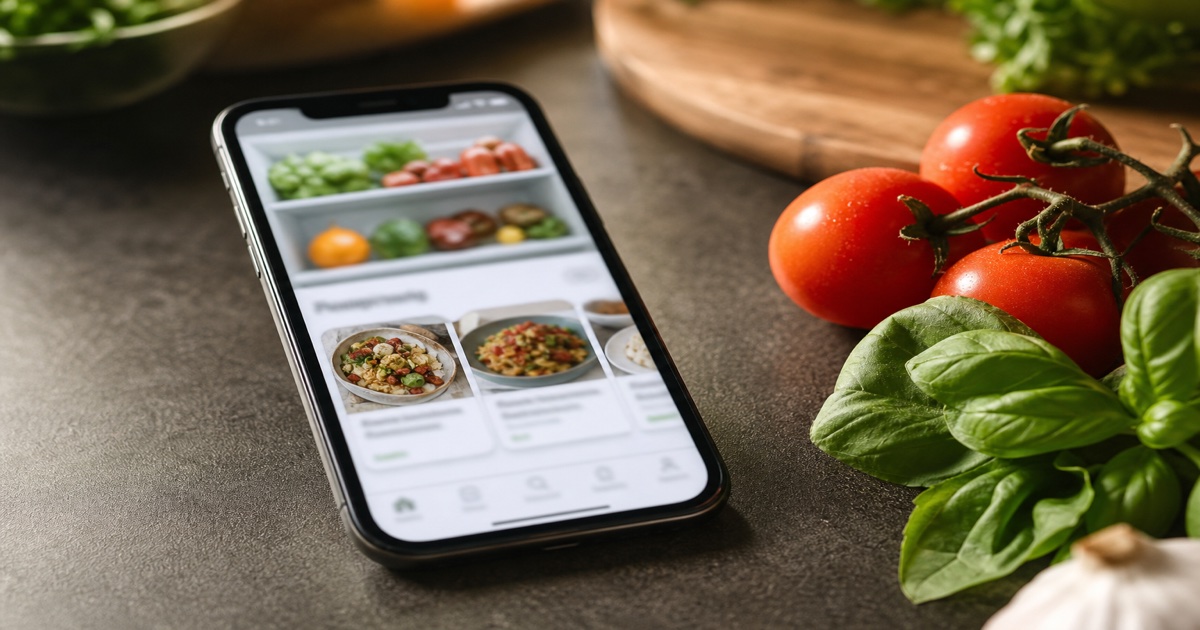
Scenario: Thursday night, low energy
You open the fridge, snap a photo through ChefSphere AI. The AI identifies: chicken thighs, bell peppers, half an onion, eggs, cheddar, and sour cream. It proposes:
- Tier A (cook now): Chicken fajita bowls with the peppers and onion. Or a quick frittata with everything.
- Tier B (grab one thing): Pick up tortillas on the way home and you have full fajitas. Or grab avocado and make loaded omelets.
You pick Tier A, then push the choice into Smart Meal Planning so Thursday's dinner is not an isolated stunt—it becomes part of a week that already accounts for your partner's preferences via Couple Zone if you use shared planning.
Finally, grocery updates the consolidated list so Friday's shop doesn't re-buy what you still have.
The three-layer system: why vision alone is not enough
Vision AI solves one problem (what do I have?). But dinner failure has three layers:
| Layer | Problem | Solution |
|---|---|---|
| Taste | "I don't know what I like" | Swipe for Meals — AI learns 50+ taste characteristics |
| Planning | "I don't know what week I'm cooking" | Smart Meal Planning — AI generates and adapts weekly plans |
| Inventory | "I don't know what's in my fridge" | Vision AI — photo → ingredient detection → recipe generation |
Vision reduces inventory mismatch — the silent reason plans fail. Plans that assume you have fresh basil when you don't create frustration. Vision grounds the plan in reality.
Quick Recipe modes: vision AI's natural partner
After scanning your fridge, you can immediately jump into Quick Recipe modes:
- From pantry: Generate a full meal using only what the AI detected — zero shopping needed
- Under 15 minutes: Filter to fast meals from your available ingredients
- By ingredient: Start with that chicken breast the AI found and build outward
This is the workflow that makes vision AI practical: scan → detect → generate → cook. Not "scan → browse 10,000 results → give up → order pizza."
Privacy: what to expect
Treat photos like sensitive kitchen data: avoid background clutter you do not want analyzed, and review in-app privacy settings. ChefSphere processes photos for ingredient detection — images are user content, not public posts. The AI does not see your kitchen layout, your family, or anything outside the frame you choose to capture.
Model tiers and limits
| Plan | ChefCoins (monthly grant) | Vision AI | Quick Recipe | Best for |
|---|---|---|---|---|
| Free (€0) | ~10/mo (shared with chat, gifts, swipes) | Limited preview | Yes | Try AI chat and Quick Recipe modes |
| Premium (€9.99/month) | ~50/mo | Yes | Yes | Fridge scanning + weekly planning |
| Pro (€14.99/month) | ~100/mo | Yes (Pro tier, high-detail vision) | Yes | Power users, families, hosting |
Each vision or chat turn debits a variable number of ChefCoins by model and tokens. Vision AI unlocks in full at Premium — scan your fridge, detect ingredients, generate meals, and push results into your weekly plan. Pro adds the most capable Chef AI tier, high-detail vision, and priority on heavy model routes.
Related reading
- AI Cooking Agents 2026: Smart Fridges vs What Works — CES 2026 hardware hype vs phone-based AI that works today
- Quick Dinner Ideas: 30 Ideas — When vision AI finds ingredients, Quick Recipe modes turn them into dinner
- How AI Meal Planning Works — Vision AI is one layer of a full planning system
Get started: Create a free ChefSphere account and upgrade to Premium to unlock vision AI fridge scanning. Scan your fridge, get dinner ideas in seconds.


